
Some products are sold on a conversation, not a cart.
QuoteLane lets customers collect products and ask for a price. You reply from WooCommerce, they accept, and the quote becomes an order at the price you agreed.
Free on WordPress.org
Whole flow included, GPL
HPOS and block checkout
Declared compatible
Works without JavaScript
Cache and script-delay safe
Plugin Check: 0 errors
On every commit
Four steps, and the last one is just WooCommerce
Collect
“Add to quote” next to Add to cart, on products, loops and variations.
Request
The list, quantities, a note and contact details, in one request. Guests welcome.
Reply
Price per line, a message, an expiry date. Send. The customer gets a link.
Order
Accept creates a WooCommerce order at the quoted prices. Checkout, stock, emails: all yours.
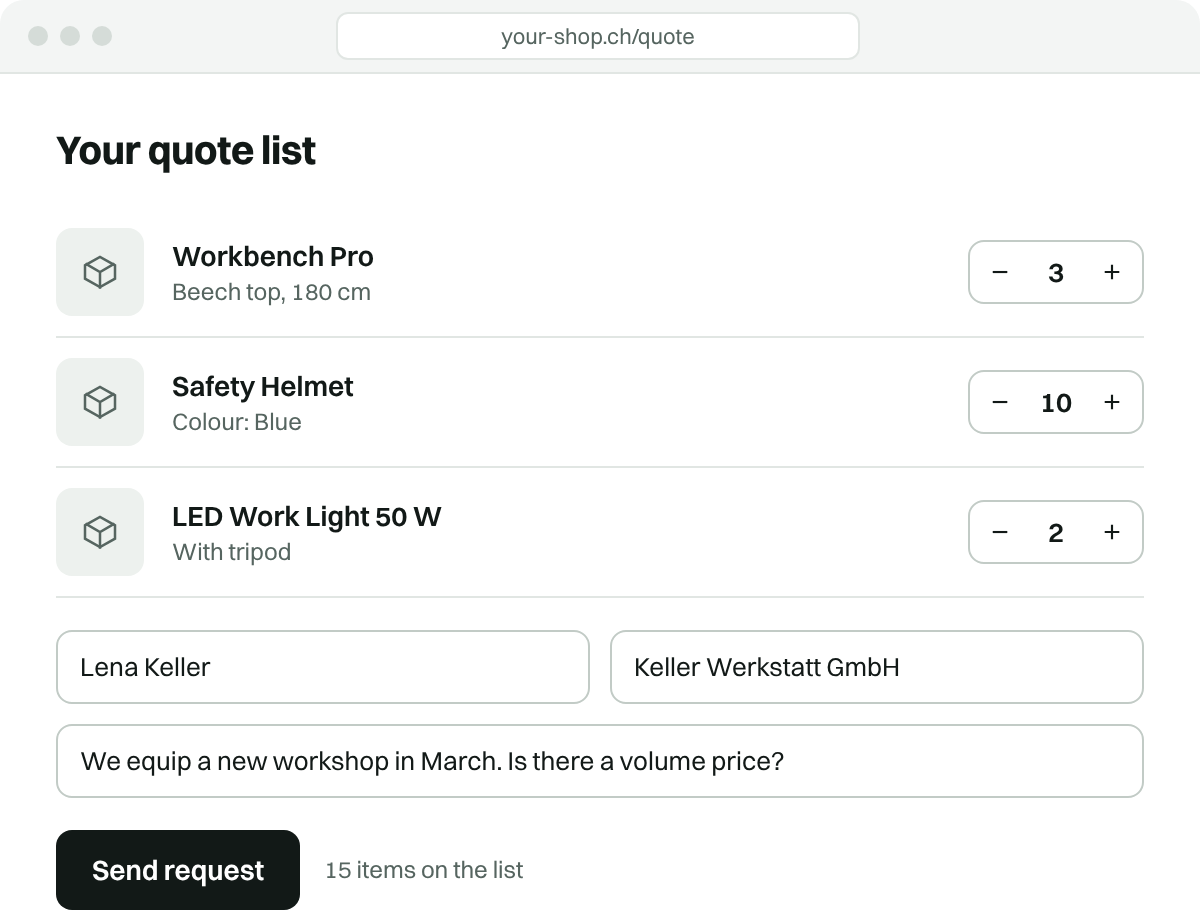
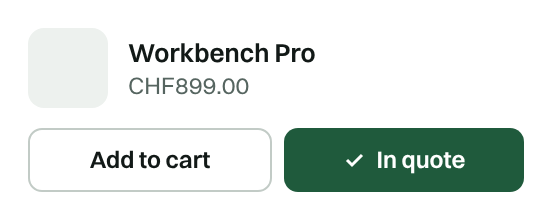
The customer sends a list, not a form with twelve fields
They collect products as they browse, then send once. Quantities and variations stay attached. Guests get a signed link; account holders see every quote under My account.
The shop replies where its orders already are
Quotes have their own list in wp-admin with statuses and filters. New requests arrive as a WooCommerce email. Open one, set a price per line, send.
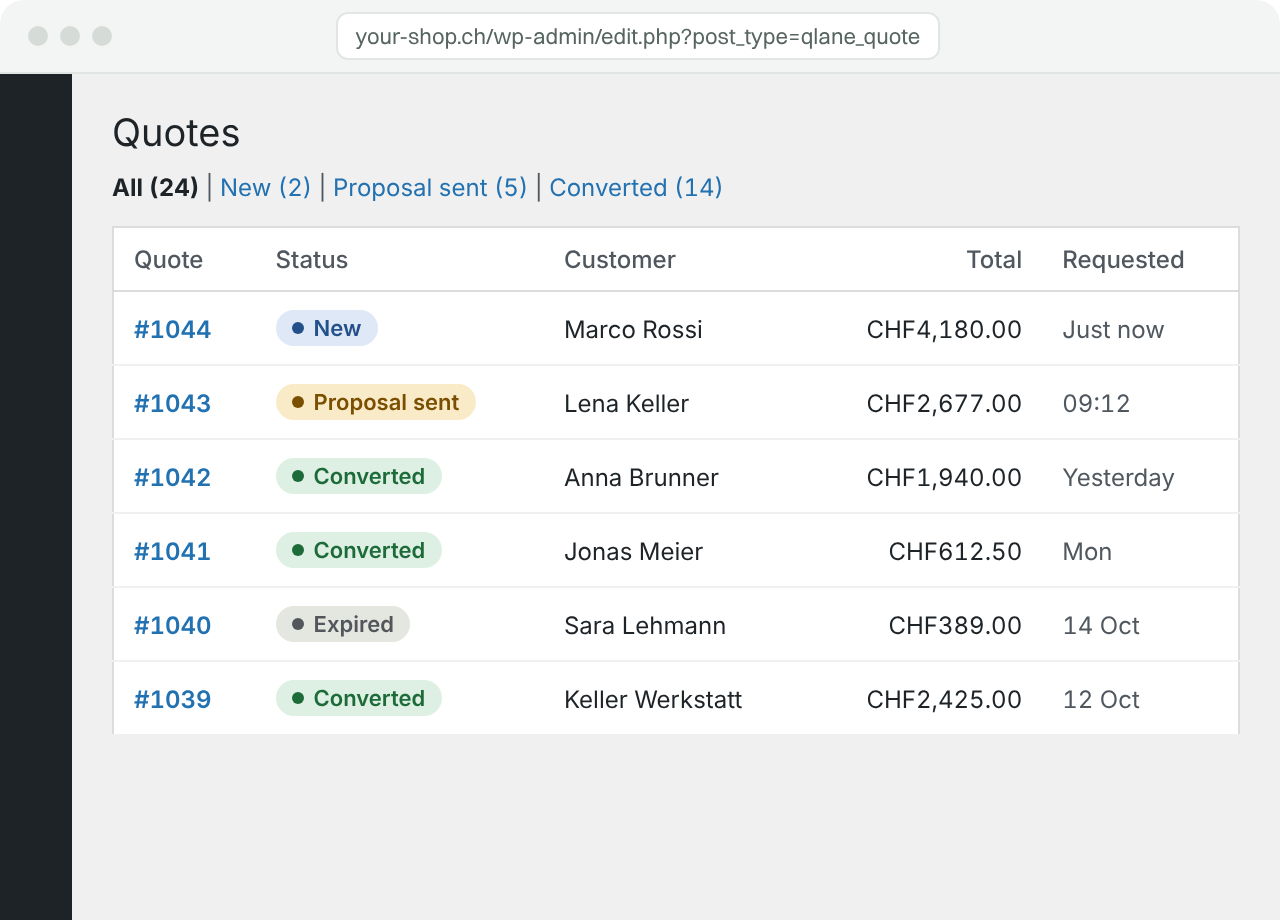

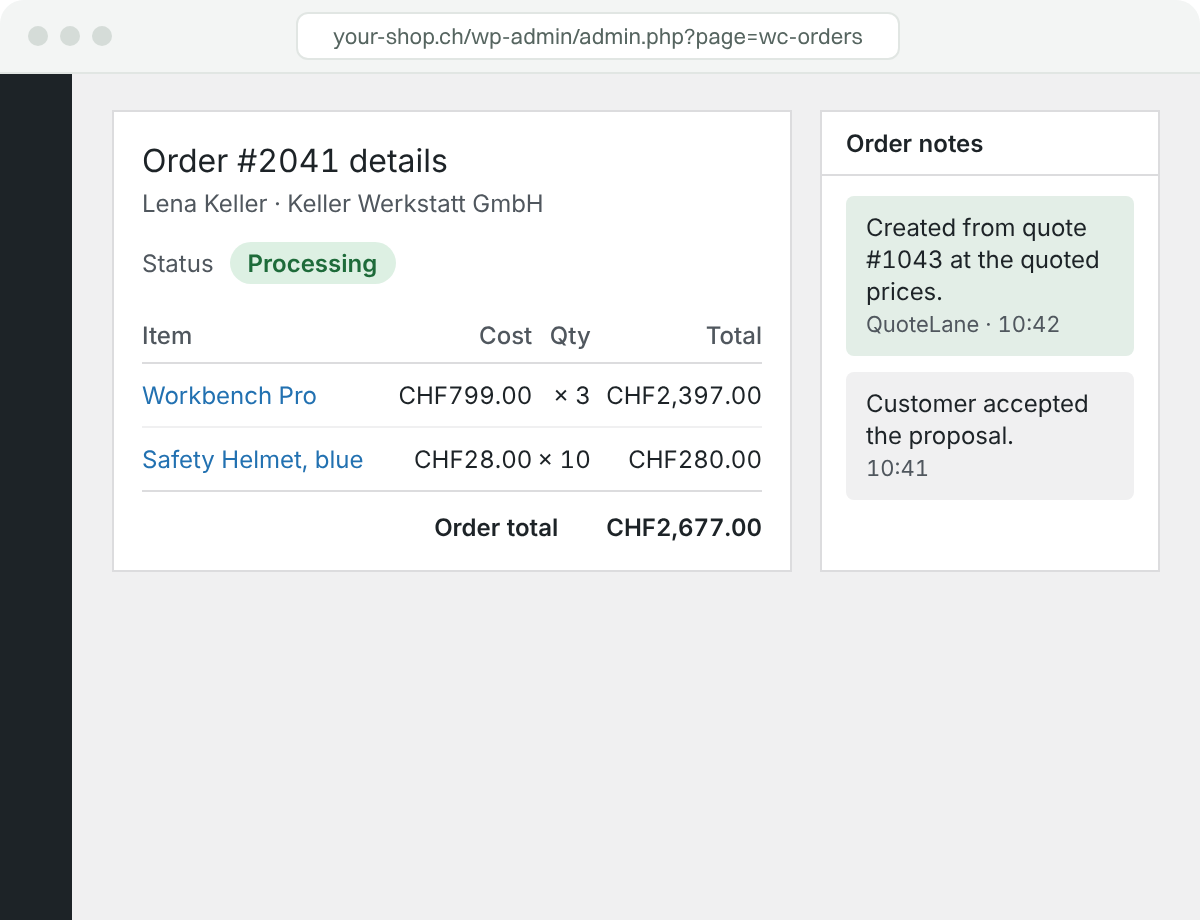

Accept turns into an order. Nothing to retype.
QuoteLane creates a normal WooCommerce order at the quoted prices and links it to the quote. Payment, stock and emails run as usual. Declined and expired quotes are locked.
Pro is the part that wins the deal after the request came in.
Five things a shop can feel in money: quotes that start with a phone call, follow-ups that go out by themselves, knowing when a customer read your offer, a dashboard of what quotes bring in, and Elementor widgets that make all of it look like your site.
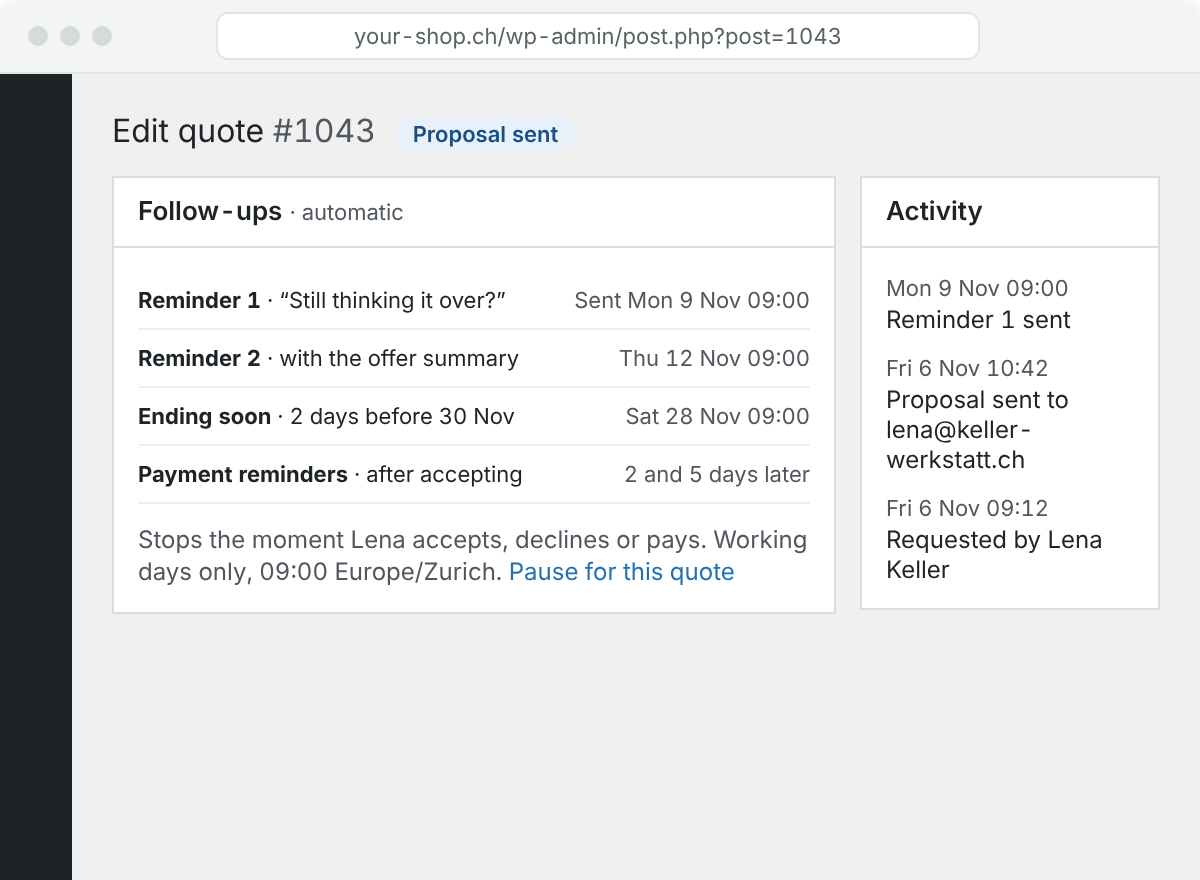

Follow up without having to remember to.
A reminder after 3 and 7 days of silence, one before the quote ends, and payment reminders once it’s accepted. Worded by whether they’ve read it. Sent on working days at your hour, never twice a day to the same person, and they stop the moment the customer answers.
Every send is in the quote’s Activity. Pause any quote with one click.
Know when they’ve read it.
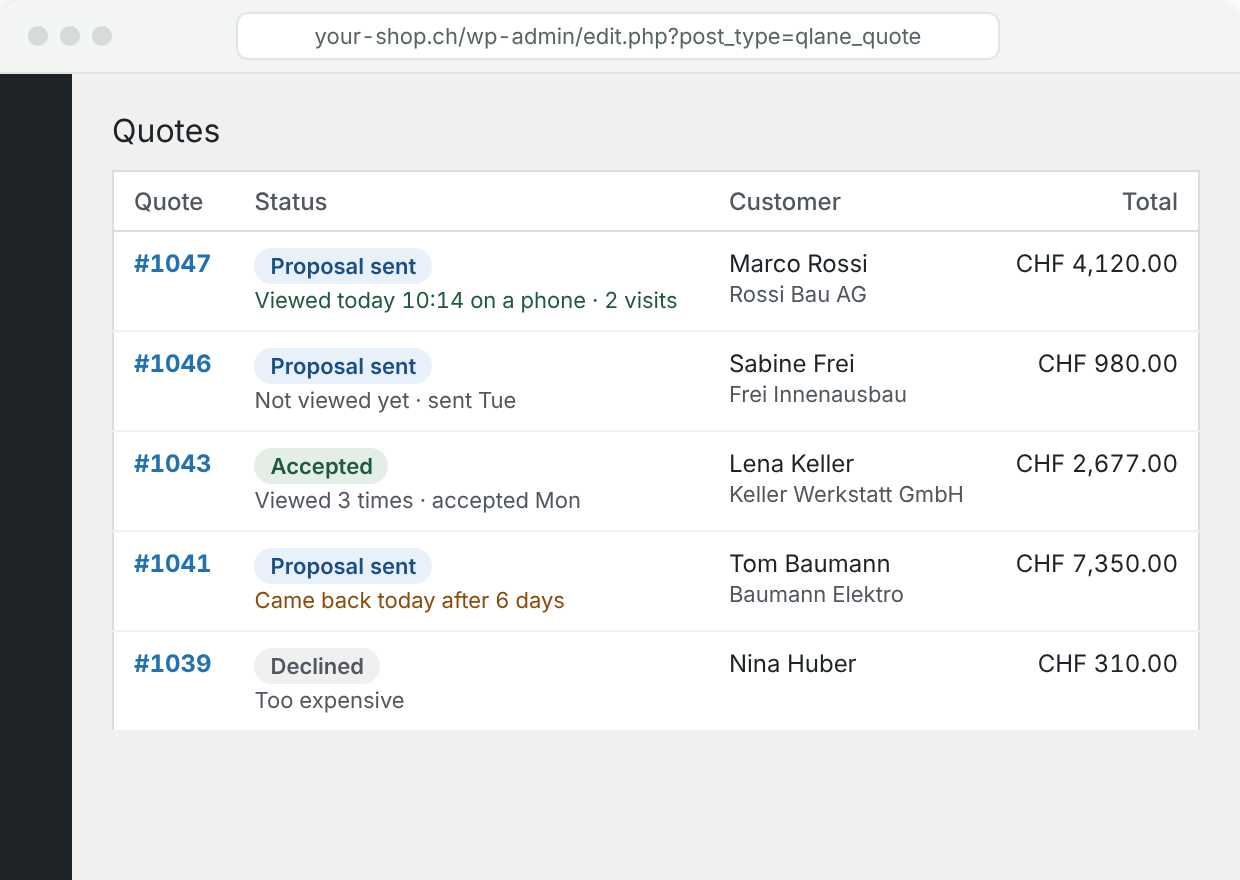
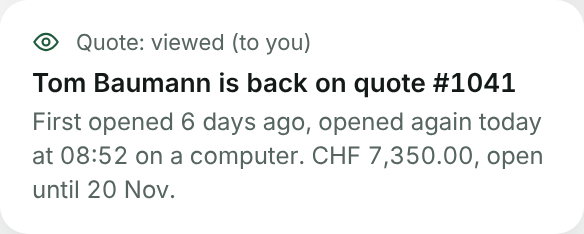
The Quotes list shows whether a customer opened the proposal, when, how often and on what. An email to you on the first view, and when someone comes back to it after days away: that’s the moment to call.
No tracking pixel, no IP address, nothing in the customer’s email. Only their own quote page counts, and only once a person has really looked at it.
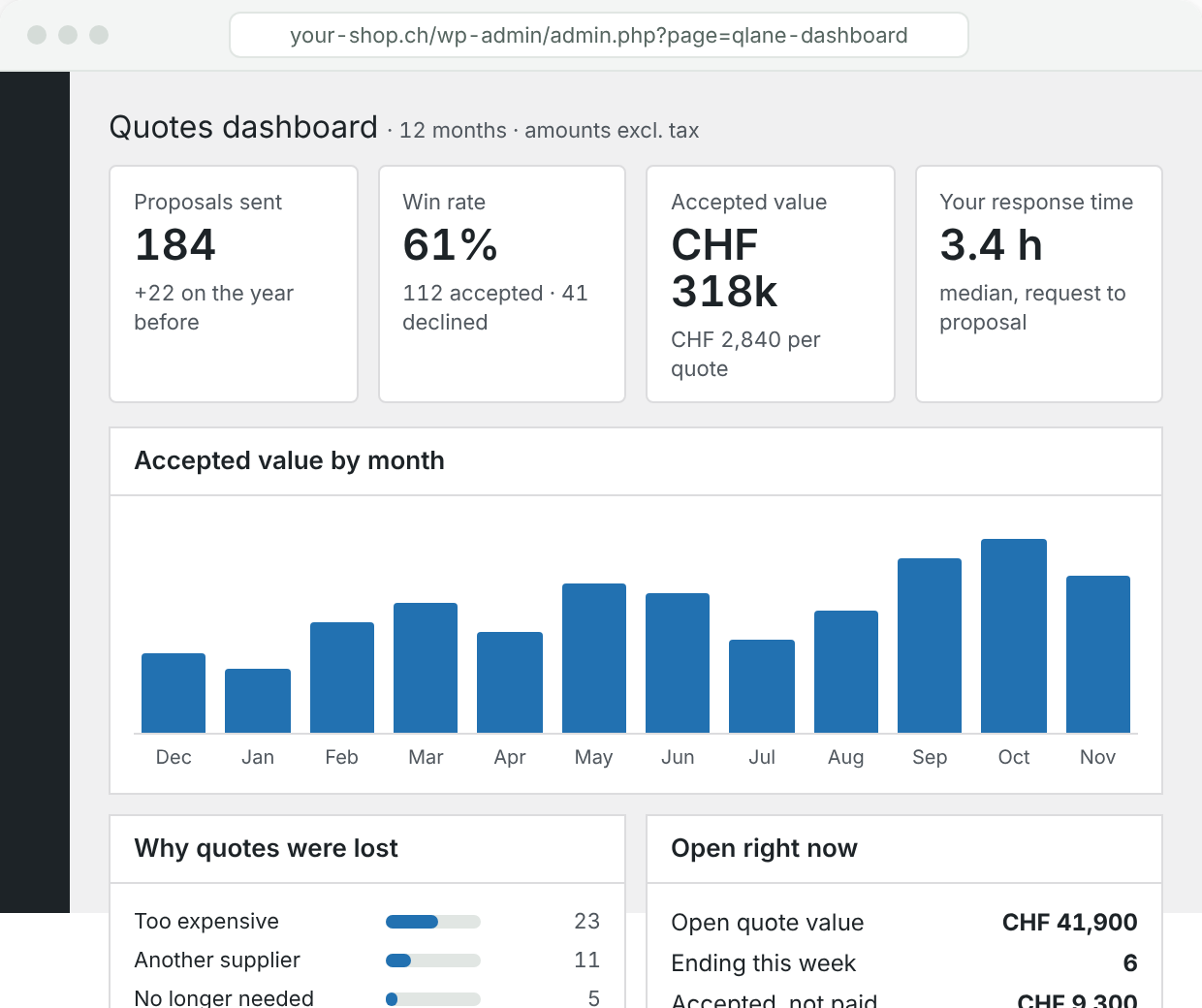

See what quotes bring in.
Win rate, accepted value by month, your response time, why quotes were lost, what’s open right now and which products get asked for. Worked out from the quotes themselves, so it matches the Quotes list, and exported as CSV for the accountant.
Customers can say why they declined. Two taps for them, the most useful number for you.
Quotes that start with a phone call.
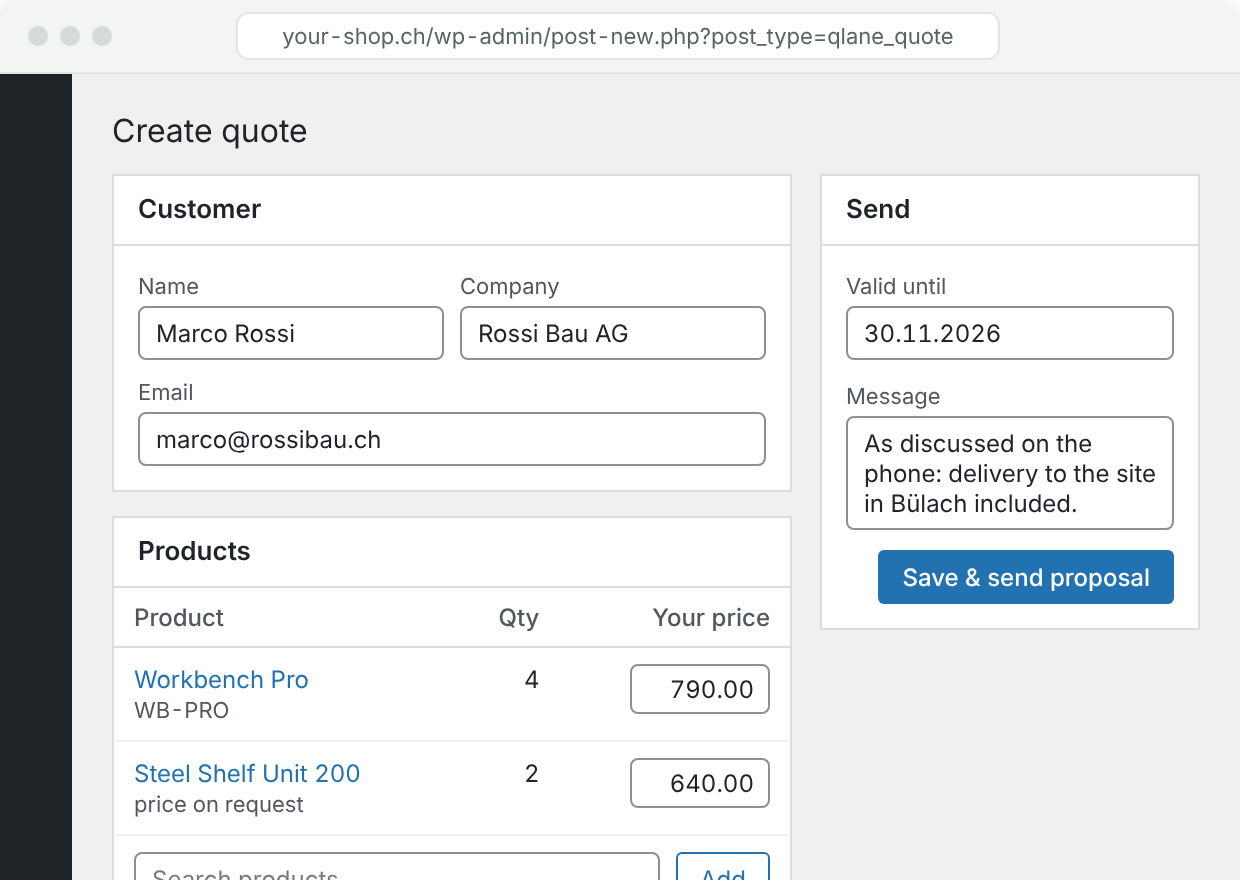
Half of B2B requests never touch the shop: they come by phone or email. Create the quote yourself, pick the products, set the prices and send it. The customer accepts on the same page as everyone else, and it becomes an order the same way.
Guests or existing customers; prices, discounts, shipping and a validity date like any other quote.

Built for Elementor, not bolted on.
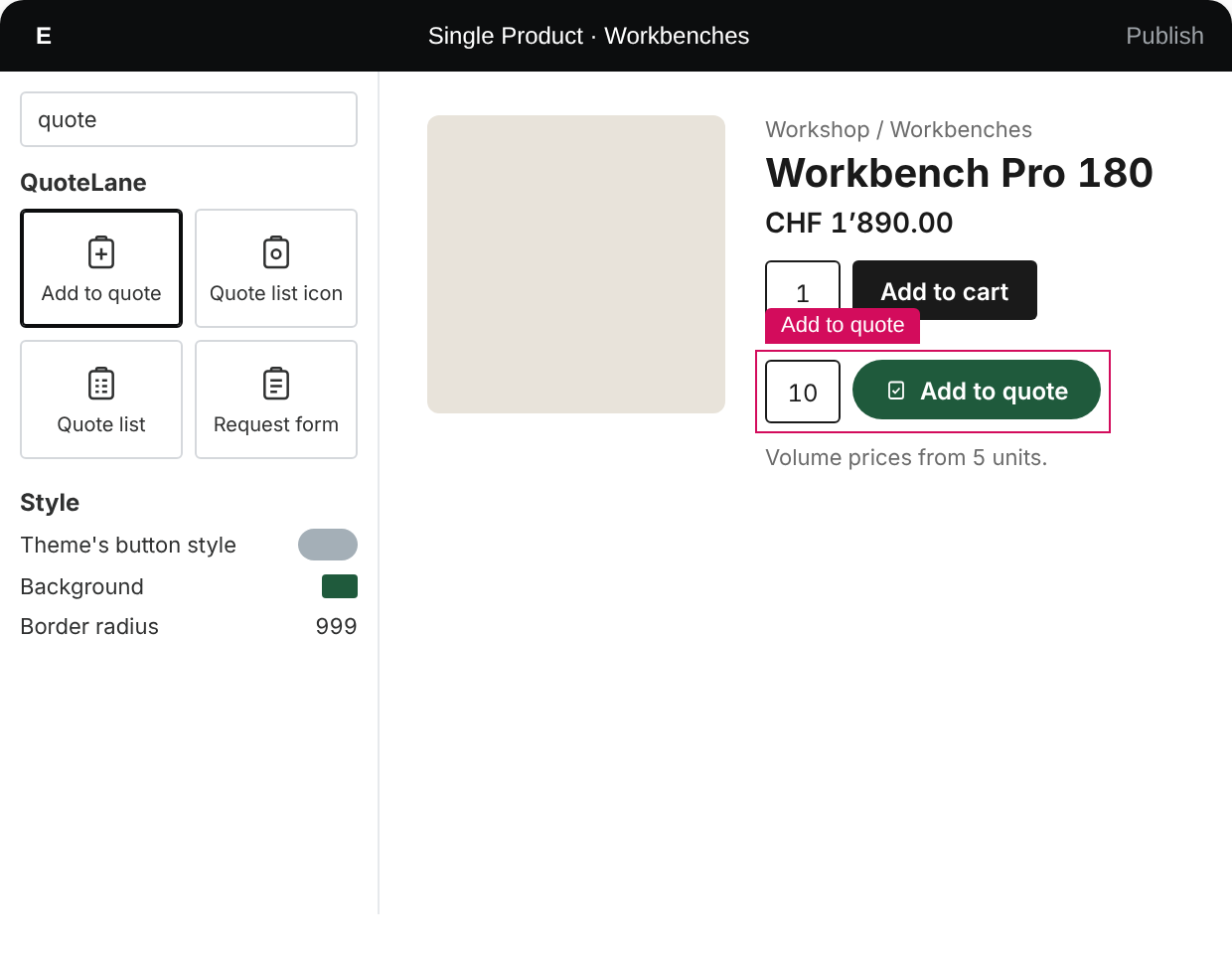
Four native widgets in the Elementor panel: Add to quote, the quote list icon for your header, the quote list for any page, and the request form. Elementor’s own typography, colour, border and spacing controls; the button keeps your theme’s style until you say otherwise.
With Elementor Pro: display conditions (quote list has products, product can be quoted) and dynamic tags. Works with Elementor free too. Nobody else has this.
“[QUOTE FROM A BETA SHOP OWNER. ONE SENTENCE ABOUT WHAT CHANGED FOR THEM.]”
[Name]
[Role], [Shop], [City]
What shop owners ask before they install
Does it replace the cart?
No. The quote list sits next to the cart. Rules decide where Add to quote appears and whether prices and the cart are hidden, per product, category, role or stock.
Theme and page builder?
The button uses WooCommerce’s own form and your theme’s styles; 21 block and classic themes tested. Elementor gets native widgets with Pro. Templates override from your theme.
Does it work with caching and HPOS?
Yes. Tested with WP Super Cache, W3 Total Cache, WP Fastest Cache, LiteSpeed Cache and Autoptimize, with pages really served from cache. HPOS and block checkout declared compatible; 0 errors in WordPress.org’s Plugin Check.
Who makes it?
Modify Digital, a WordPress and WooCommerce studio in Winterthur, Switzerland.
Do I need Elementor Pro?
No. The four widgets work with Elementor free. Elementor Pro adds display conditions and dynamic tags for Theme Builder templates. Without Elementor, the blocks and shortcodes do the same job.
What happens to my quotes if I stop paying for Pro?
Nothing is lost. Quotes, proposals and orders stay in WooCommerce and the free plugin keeps working. Follow-ups, viewed tracking, the dashboard, Create quote and the Elementor widgets pause until you renew.
Is it GDPR-safe?
Data stays in your WordPress database; no outside service sees it. Viewed tracking uses no pixel and stores no IP address. Export and erase run through WordPress’s own privacy tools, and guest links expire.