
Viewed tracking
See whether a customer has opened the quote you sent, how often and when, get an email when they do, and what is stored.
What you see
Once you send a proposal, QuoteLane Pro records when the customer opens it:
- the Quotes list shows “not viewed yet” or how many times it was viewed;
- the quote editor shows the first and the last visit, how long after sending they first looked, and whether it was on a phone, a tablet or a computer;
- each visit is also in the quote’s Activity.
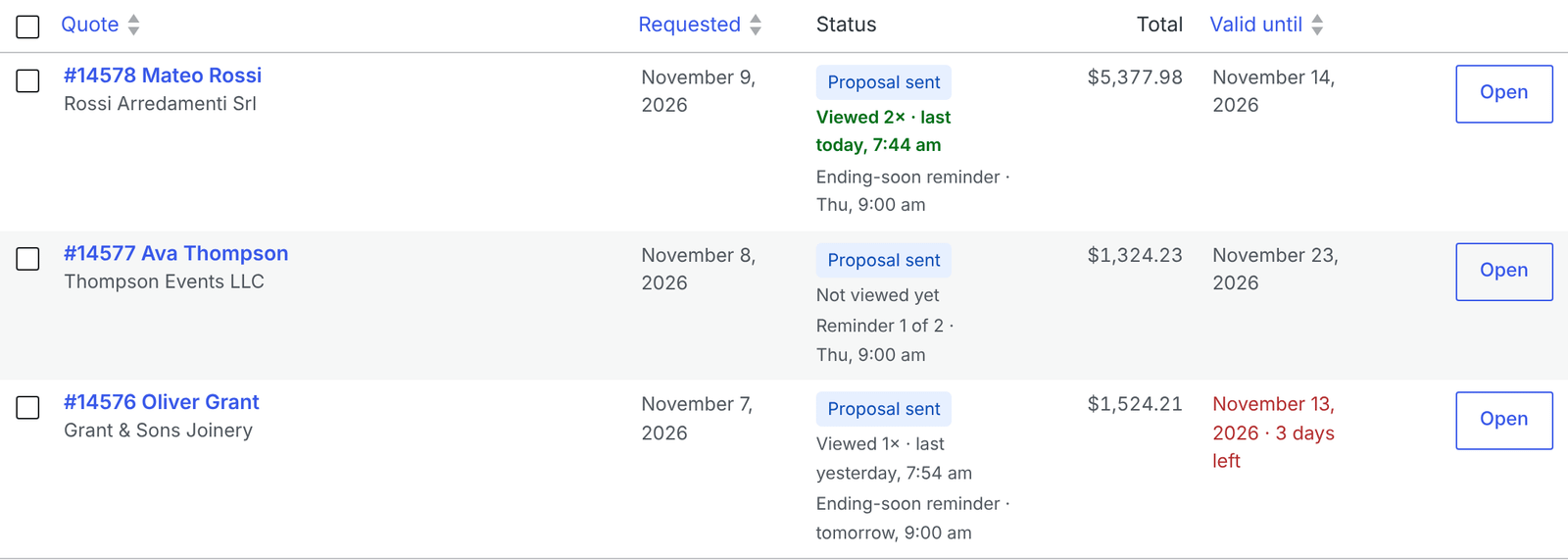
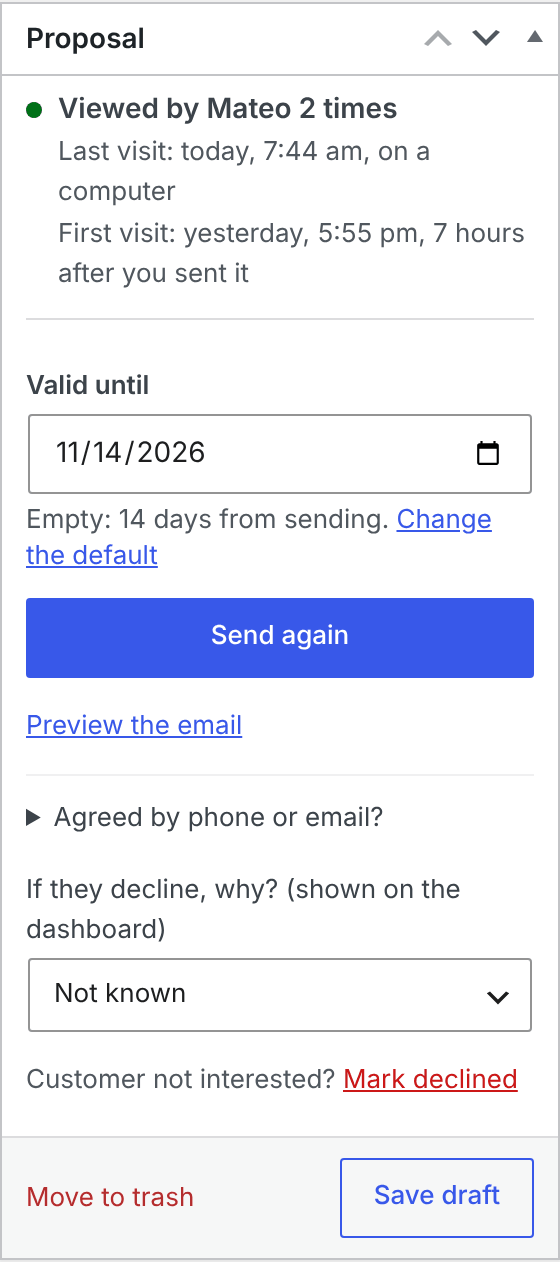
Settings are under WooCommerce → Settings → Quotes → Pro → Viewed tracking.
What counts as a view
- Only the customer’s own quote page counts: the private link, or My account → Quotes.
- It counts once someone has really looked at the page, not when an email security filter checks the link.
- Your own visits and your team’s don’t count while you are signed in.
- Visits within 30 minutes count as one.
- Each sending counts on its own: when you send a changed quote again, the views start over. The Activity keeps the earlier ones.
Test quotes and proposals sent before Pro was counting views say so instead.
Get an email
Under Email me, choose when you get the customer viewed it email:
- The first time a customer views a quote (on by default);
- When they come back to it later, after a break of 3 days or more by default (also on).
At most one of these per quote per day. It goes to the Administration Email Address from Settings → General; change the recipients or switch it off under WooCommerce → Settings → Emails → Quote: customer viewed it (admin).
Reminders that fit
With Word the reminder by whether the quote was viewed (on by default), the no-answer reminder changes its first sentence:
- Not viewed: “In case our quote got lost, here it is again.”
- Viewed: “Do you have any questions about our quote?”
The rest of the email stays the same. See Automatic follow-ups.
What is stored
- The time of each visit, and whether it was a phone, a tablet or a computer.
- No IP address, no location, and no tracking image in your emails.
The data is kept with the quote and deleted with it. It is part of WordPress’s personal data export and erase tools. QuoteLane Pro adds a suggested paragraph for your privacy policy under Settings → Privacy → Policy guide.
Nothing shows up
The quote page reports each visit to your site’s admin-ajax.php. Some security plugins or firewall rules block it for visitors who aren’t signed in. Allow admin-ajax.php?action=qlane_pro_view (POST requests) for visitors.
To switch tracking off completely, untick Record when the customer opens a sent quote.